Clients > Working with a Client's details
 Working with a Client's details
As on the Attorney side, you can work with details on a Client from their Client Details window. Double-click the Contact you want in the Contacts Index. Or, in an Attorney-side Person Details window, click Basics on the left-side navigation bar.
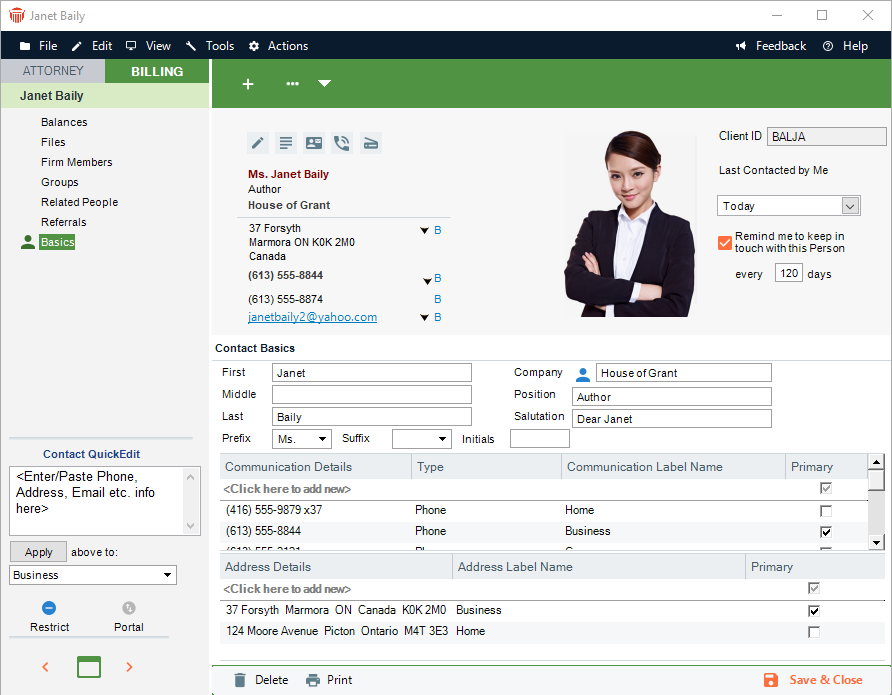
As on the Attorney side, basic information for a Contact may be added and edited in the Basics view of the Contacts Details dialog: name, addresses, phone numbers, and so on. You can quickly add information about the Contact from the QuickEdit section in the control panel. You can use the Client's Business Card, work with their picture, and use their Last Contacted date.
On the Billing side, the Client ID is shown at the upper right.
In any view of the Client Details window, you can choose commands on the File menu to perform a variety of tasks, such as creating a new Person record or printing the current view.
Related Topics