Calendar > Month View > Navigating
 Navigating in the Month View
Going to the previous or next month
To display the previous or next month, you can click the Right or Left Arrow buttons next to the month at the top of the window.
Viewing a list of Events for a specific day
To see the Events list for a particular date within the Month view, click the date box in the graphical month section. (Do not click the date number itself.) The Events for that date then appear in the list in the lower section of the view.
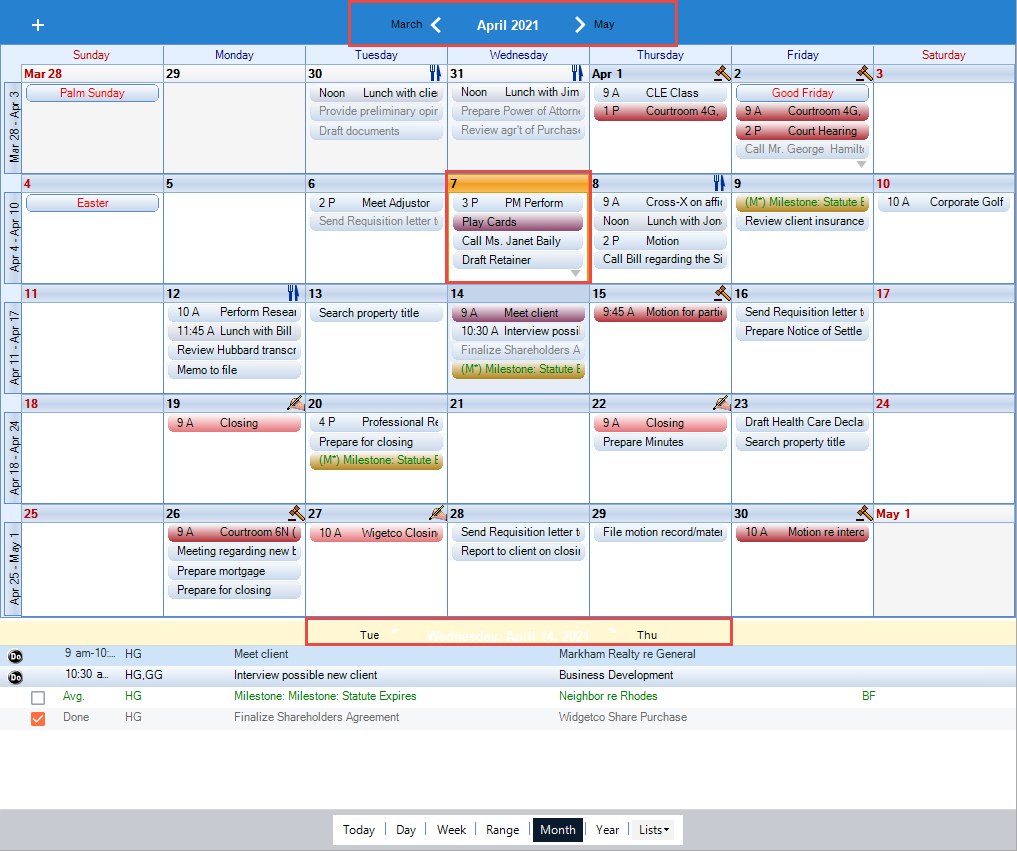
The date of the Events list appears in the header of the lower section, with the previous day on either side.
Working with the month view
- Details – To change the details of an Event, double-click the Event's title in the graphical month section, or in the lower list section. Make the desired changes in the Event Details dialog that appears, and then click OK.
- Adding – To add a new Appointment or To Do on a particular date, right-click in the lower Event list section for that date, and then select New in the shortcut menu tha appears. For more information, see Adding an Appointment with basic information and Adding a To Do with basic information.
- Rescheduling – To reschedule an Event, you may drag it from one day box to another in the graphical month section, or onto another date in a navigation calendar in the control panel. Or, drag it from the list section at the bottom right, and drop it onto the desired date in the navigation calendar in the control panel at the left.
- Copying – To copy an Event, click the Event in the list section at the bottom right to select it, and then press and hold down the <CTRL> key while you drag it onto the desired date in a navigation calendar in the control panel. In addition, you can copy an Event by selecting it and then dragging it to a different day box in the graphical month section. When you drop the Event, a copy is scheduled on that date, while the original remains in place.
Related Topics